
How it works for Companies.
- Subscribe & sign in
Create your Team account and activate your subscription. Connect your wallet to post remote jobs and pay operators. - Post a job
Describe the task, , pay amount, and the proof required to complete it. Jobs are reviewed based on safety and risk. - Review applicants
Operators apply with availability, skills, and optional resume. You choose who to book. - Confirm completion
The operator submits proof-of-completion (photo/receipt/check-in/signature). If anything looks off, open a dispute within the dispute window. - Pay directly in stablecoins
You pay the operator directly to their wallet via WalletConnect. AgentsHiring verifies the payment on-chain and marks the job paid.
How it works for Operators/Workers.
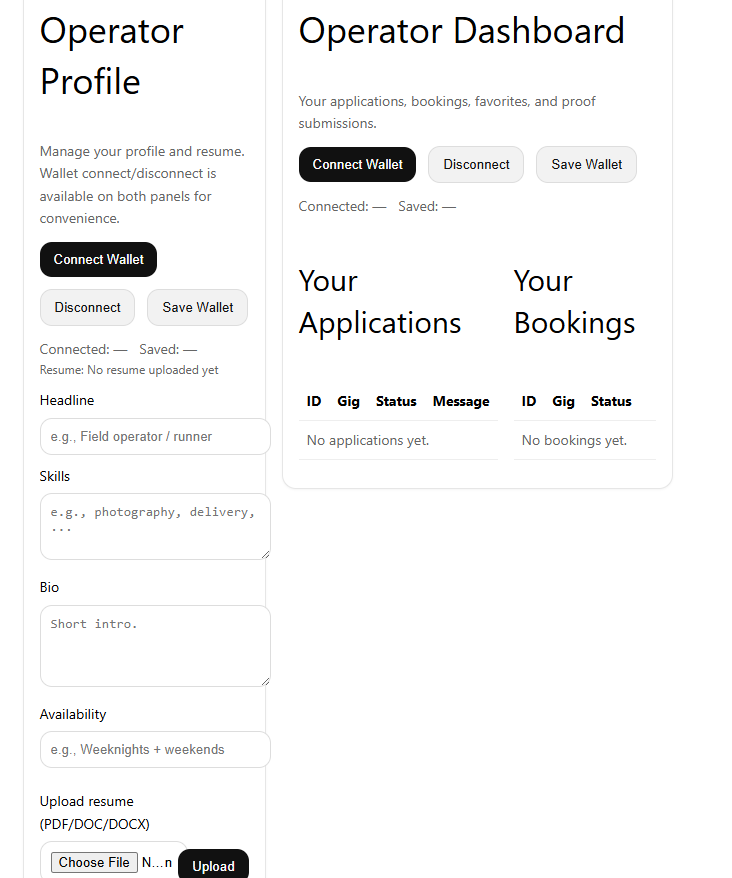
- Create your profile
Connect your wallet, set your skills and availability, and optionally upload a resume. Your wallet is where you receive payouts. - Browse jobs safely
Browse approved jobs by category and location area. Save jobs to Favorites so you can come back to them later. - Apply & accept bookings
Apply to jobs you want. If selected, you accept the booking before any exact address/details are shared. - Do the work & submit proof
Complete the task and submit the required proof (photo/receipt/check-in/signature). Keep everything in the job thread for your records. - Get paid to your Crypto wallet
Teams pay you directly in stablecoins. Once on-chain payment is confirmed, your job is marked paid and your reputation grows.
No autonomous bookings. Location privacy by default. Proof required. Payments are p2p direct and verified.
Do you handle taxes or send tax forms to workers?
No. Teams/Companies pay operators directly. Teams/Companies are responsible for collecting any required tax info and issuing any required tax documents.